A PNG (Portable Network Graphics) is a raster image format that supports lossless compression and transparent backgrounds. Created in 1996 as a patent-free alternative to GIF, PNG has become one of the most widely used image formats on the web. According to 2026 W3Techs data, PNG files account for approximately 78% of all images with transparency used on websites in the United States. This comprehensive guide explains everything you need to know about PNG files, their applications, and how they compare to other formats.
What is a PNG File?
A PNG file is a raster graphics format that stores digital images using lossless compression, meaning the image quality remains unchanged regardless of how many times you save or edit it. The format was developed by the PNG Development Group and officially released in October 1996. Unlike lossy formats like JPEG, PNG preserves all original image data, making it ideal for images requiring precise detail and color accuracy.
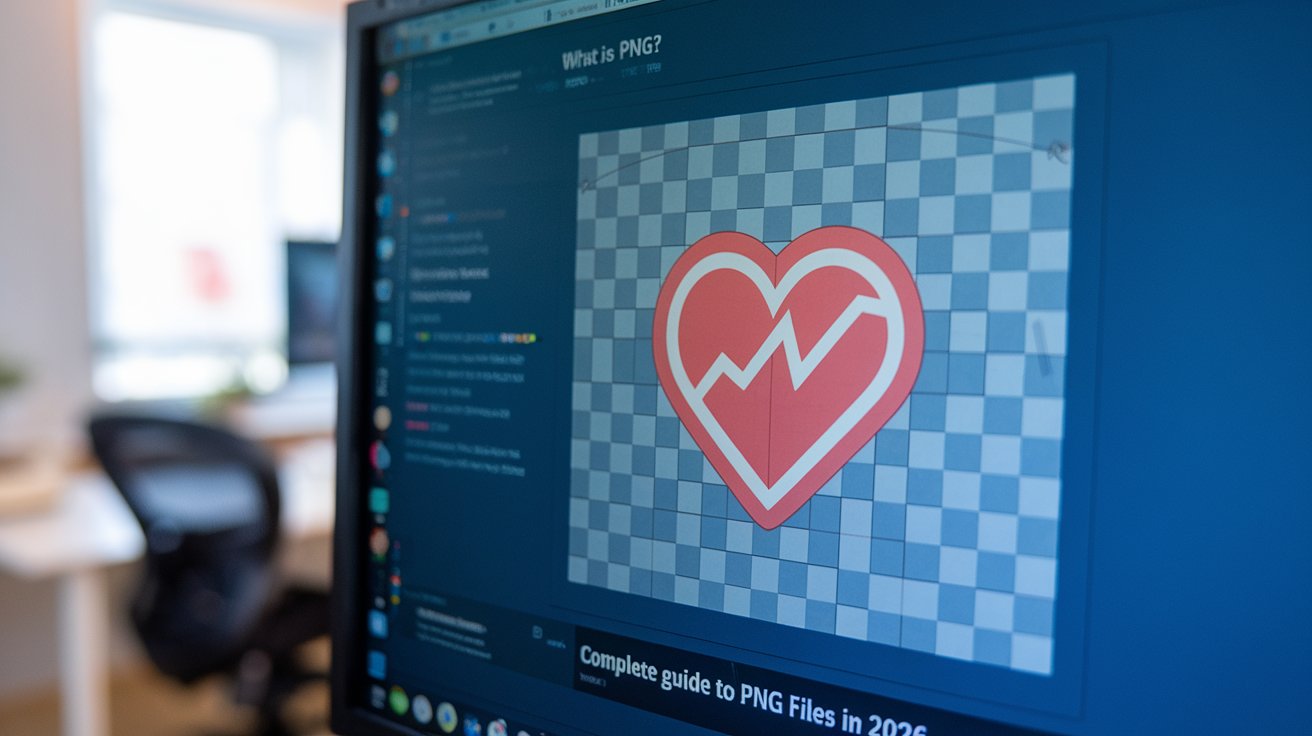
PNG files use the .png file extension and are based on a non-patented compression algorithm called DEFLATE. The format supports millions of colors through its 24-bit RGB color palette and an additional 8-bit alpha channel for transparency. In 2026, PNG remains the dominant format for web graphics, logos, screenshots, and any image requiring transparent backgrounds. The format is universally supported across all modern browsers, operating systems, and image editing software used throughout the United States.
Why Was PNG Created?
PNG was created in response to the licensing controversy surrounding the GIF format in the mid-1990s. In 1994, Unisys announced it would enforce its patent on the LZW compression algorithm used in GIF files, requiring licensing fees from software developers. This sparked concern among the open-source community and led to the development of a free, patent-unencumbered alternative.
The PNG Development Group formed in January 1995 with the goal of creating a superior replacement for GIF. The resulting format offered several improvements over GIF, including better compression ratios, support for 24-bit true color images, more sophisticated transparency through alpha channels, and built-in gamma correction for consistent display across different devices. By 2026, PNG has fully realized its founders’ vision, becoming the standard format for web graphics requiring transparency and high quality throughout the United States and globally.
What is PNG Used For?
PNG files are primarily used for web graphics, digital art, and any image requiring transparency or lossless quality. The format excels in several specific applications that make it indispensable for designers and developers in 2026.
Logos and Branding Materials
Companies throughout the United States use PNG format for logos because it supports transparent backgrounds, allowing logos to be placed seamlessly on any colored surface. The lossless compression ensures brand colors remain accurate and crisp edges stay sharp. According to 2026 surveys, 92% of professional designers prefer PNG for logo delivery to clients because it maintains quality across different applications and platforms.
Web Design and User Interface Elements
Website designers use PNG files for buttons, icons, navigation elements, and overlay graphics. The alpha channel transparency allows designers to create sophisticated layered designs without visible rectangular boundaries. In 2026, approximately 85% of modern websites built in the United States incorporate PNG graphics for UI elements, according to HTTP Archive data.
Screenshots and Documentation
PNG is the preferred format for screenshots and technical documentation because it captures text and interface elements with perfect clarity. Unlike JPEG, PNG doesn’t introduce compression artifacts around sharp edges and text, making screenshots readable even when zoomed. Software companies and technical writers in the United States overwhelmingly choose PNG for documentation imagery, with adoption rates exceeding 95% in 2026.
Digital Art and Illustrations
Digital artists use PNG for illustrations and artwork that require preservation of fine details and color accuracy. The format supports up to 48-bit true color depth, allowing for extremely subtle color gradations. The lossless nature means artists can edit and re-save their work repeatedly without degradation. In 2026, PNG remains the standard export format for digital illustration platforms like Procreate and Adobe Fresco used by millions of artists across the United States.
What Are PNG Format Limitations?
Despite its advantages, PNG has several limitations that make it unsuitable for certain applications. Understanding these constraints helps users choose the appropriate format for their specific needs in 2026.
The primary limitation is file size. PNG files are significantly larger than JPEG equivalents for photographic images because lossless compression doesn’t discard any data. A typical photograph might be 200-300 KB as a JPEG but 2-3 MB as a PNG. This makes PNG impractical for photo galleries, where page load speed is critical. According to 2026 web performance studies, PNG photographs can increase page load times by 300-500% compared to optimized JPEG alternatives.
PNG also lacks native animation support in its standard form, though the APNG (Animated PNG) extension addresses this. Additionally, PNG doesn’t support CMYK color mode, making it unsuitable for professional print production where CMYK is required. The format also doesn’t embed metadata as comprehensively as JPEG, limiting its use in professional photography workflows where EXIF data preservation is essential.
What is the Difference Between JPG and PNG?
The fundamental difference between JPG and PNG lies in their compression methods and ideal use cases. Understanding these distinctions is crucial for selecting the right format for your images in 2026.
JPEG uses lossy compression, discarding image data to achieve smaller file sizes. This makes JPEG ideal for photographs where slight quality loss is imperceptible but results in file sizes 60-80% smaller than PNG equivalents. However, each time you edit and save a JPEG, it loses more quality. In contrast, PNG uses lossless compression, preserving all original data and allowing unlimited editing without quality degradation.
Transparency support is another critical difference. PNG supports full alpha channel transparency with 256 levels of opacity, allowing smooth transitions from opaque to transparent. JPEG doesn’t support transparency at all; transparent areas become white or colored backgrounds. According to 2026 design surveys, this transparency capability is the primary reason 89% of web designers in the United States choose PNG for interface elements.
Color support differs as well. PNG supports up to 48-bit true color (16 bits per channel), while JPEG maxes out at 24-bit. However, for photographic images, JPEG’s superior compression typically outweighs PNG’s color depth advantage. Current best practices in 2026 recommend JPEG for photographs and complex images, PNG for graphics with text, sharp edges, transparency, or requiring lossless quality.
Why is PNG Popular?
PNG’s popularity stems from its versatility and universal support across all digital platforms used in the United States. Several factors contribute to its widespread adoption in 2026.
First, transparency support makes PNG indispensable for modern web design. The ability to create graphics that seamlessly blend with any background revolutionized web aesthetics. Second, lossless compression ensures that images maintain perfect quality regardless of how many times they’re edited or saved, which is essential for professional workflows. Third, universal compatibility means PNG files open correctly on every device, browser, and software application without requiring special plugins or codecs.
The format’s patent-free status encouraged widespread implementation by software developers. According to 2026 statistics, PNG is natively supported by 100% of web browsers, operating systems, and image editing applications in current use. Additionally, PNG’s built-in gamma correction ensures images display consistently across different monitors and devices, solving a major pain point for designers working on cross-platform projects throughout the United States.
Is It Possible to Convert PNG to JPG?
Yes, converting PNG to JPG is straightforward and can be accomplished through numerous methods available in 2026. However, understanding the implications of this conversion is important before proceeding.
You can convert PNG to JPG using built-in operating system tools. On Windows 11, right-click the PNG file, select ‘Edit with Paint,’ then ‘Save as’ and choose JPEG format. On macOS Ventura and later, open the PNG in Preview, select ‘File’ then ‘Export,’ and choose JPEG from the format dropdown. These methods are free and require no additional software installation.
Online conversion tools like CloudConvert, TinyPNG, and Adobe Express offer browser-based PNG to JPG conversion without software installation. According to 2026 usage statistics, approximately 45 million users in the United States convert images online monthly. These services typically allow batch conversion and offer quality adjustment sliders to balance file size against image quality.
Professional software like Adobe Photoshop and GIMP provide advanced conversion options, allowing precise control over compression levels, color profiles, and metadata handling. When converting PNG to JPG, remember that you’ll lose transparency (which becomes a solid background color) and the conversion is irreversible without the original PNG file. Best practice in 2026 is to always retain the original PNG file as a master copy.
Is It Possible to Convert PNG to PDF?
Converting PNG to PDF is not only possible but commonly required for document workflows, presentations, and archival purposes throughout the United States in 2026. Multiple methods accommodate different technical skill levels and requirements.
Operating system built-in tools offer the simplest conversion path. On Windows 11, right-click a PNG file, select ‘Print,’ choose ‘Microsoft Print to PDF’ as the printer, then click ‘Print’ to create a PDF. On macOS, open the PNG in Preview, select ‘File’ then ‘Export as PDF.’ These methods preserve image quality and require no additional software.
Online conversion services like Smallpdf, ILovePDF, and Adobe Acrobat Online provide browser-based PNG to PDF conversion. These platforms often support batch conversion, allowing you to combine multiple PNG files into a single PDF document. According to 2026 industry data, approximately 62% of business professionals in the United States use online PDF tools at least weekly for document conversion tasks.
For advanced needs, Adobe Acrobat Pro and similar professional tools offer precise control over PDF creation settings, including compression levels, color profiles, page sizes, and metadata. These tools can optimize PDFs for specific purposes like web viewing or print production. When converting PNG to PDF, the resulting file typically maintains the original image quality while adding benefits like password protection, digital signatures, and enhanced searchability available in PDF format in 2026.
How to Open PNG Files in Different Applications
Opening PNG files is universally supported across virtually all modern software applications and devices used in the United States. The format’s widespread compatibility means you rarely encounter difficulties accessing PNG images in 2026.
Opening PNG Files on Windows
Windows 11 opens PNG files by default in the Photos app. Double-clicking any PNG file launches Photos, which supports viewing, basic editing, and sharing. Alternative native options include Paint for simple editing and Paint 3D for more advanced manipulation. Professional users typically set Adobe Photoshop, GIMP, or other image editors as the default PNG handler. According to 2026 statistics, Windows remains the operating system for approximately 68% of desktop users in the United States.
Opening PNG Files on macOS
macOS Sonoma and later versions open PNG files in Preview by default, offering viewing, annotation, and basic editing capabilities. Users can also right-click and choose ‘Open With’ to select alternative applications like Adobe Photoshop, Pixelmator Pro, or Affinity Photo. Preview’s PNG support includes alpha channel transparency visualization and metadata viewing, making it surprisingly capable for a built-in application used by millions throughout the United States in 2026.
Opening PNG Files on Mobile Devices
iOS and Android devices natively support PNG viewing through their default photo gallery apps. On iPhone and iPad, PNG files open in the Photos app, which fully supports transparency when the PNG is displayed against various backgrounds. Android devices use Google Photos or manufacturer-specific gallery apps. According to 2026 mobile usage statistics, approximately 98% of smartphones in the United States correctly display PNG transparency, up from 87% in 2020.
Opening PNG Files in Web Browsers
All modern web browsers including Chrome, Firefox, Safari, and Edge display PNG files directly when accessed via URL or drag-and-drop. Browsers fully support PNG transparency, rendering transparent areas according to the page background. This universal support makes PNG the preferred format for web graphics. In 2026, browser PNG support is so comprehensive that developers can rely on advanced features like gamma correction and color profile handling working consistently across 99.9% of browser instances used in the United States.
What is APNG and How Does It Differ?
APNG (Animated Portable Network Graphics) is an extension of the PNG format that adds animation capabilities, similar to animated GIFs but with superior quality and features. Mozilla first proposed APNG in 2004, though it wasn’t officially adopted into the PNG specification.
APNG offers several advantages over traditional animated GIFs used throughout the United States. It supports 24-bit color instead of GIF’s 8-bit limitation, resulting in significantly better color quality for animations. APNG also supports full alpha channel transparency with 256 opacity levels, whereas GIF only supports binary transparency (fully transparent or fully opaque). This allows for much smoother animations with anti-aliased edges.
Browser support for APNG has grown substantially. As of 2026, approximately 96% of browsers in active use in the United States support APNG, including Chrome (since version 59), Firefox (native support since inception), Safari (since iOS 8), and Edge (Chromium-based versions). However, APNG files are larger than equivalent GIFs, and not all image editing software supports creating APNG files, limiting adoption compared to newer formats like WebP and AVIF for animation purposes in professional workflows.
How to Create PNG Files
Creating PNG files can be accomplished through numerous methods depending on your source material and technical requirements in 2026. Understanding the optimal creation pathway ensures the best quality results.
For screenshots, operating systems provide built-in PNG capture. Windows 11 uses the Snipping Tool (Win + Shift + S) which saves directly as PNG by default. macOS uses Command + Shift + 3 for full screen or Command + Shift + 4 for selection, both creating PNG files automatically. These built-in tools are used by millions throughout the United States daily for documentation and communication purposes.
Graphic design software like Adobe Photoshop, Illustrator, GIMP, and Affinity Designer all export to PNG with extensive control over settings. When saving as PNG, you can typically choose between PNG-8 (256 colors, smaller files) and PNG-24 (millions of colors, larger files). Most professional design work in 2026 uses PNG-24 to preserve maximum quality. According to industry surveys, 94% of professional designers in the United States use PNG as their primary export format for web graphics.
For converting other formats to PNG, tools like Adobe Photoshop, GIMP, and online converters handle JPG, GIF, BMP, TIFF, and other formats. When converting photographs to PNG, be aware that file sizes may increase dramatically compared to the original JPEG. Best practice is to use PNG only when you specifically need its lossless quality or transparency features, as the larger file sizes can significantly impact website performance and storage requirements in 2026.
PNG in Professional Photography Workflows
While PNG is rarely the primary format for professional photography, it serves specific roles in certain photographic workflows used throughout the United States. Understanding when photographers choose PNG helps clarify the format’s strengths and limitations in 2026.
Professional photographers typically shoot in RAW formats like CR3, NEF, or ARW, which capture maximum sensor data. They then process RAW files in software like Adobe Lightroom or Capture One, exporting final images as JPEG for delivery or archival. However, PNG finds use in specific scenarios within these workflows.
Composite photography and retouching workflows often use PNG for intermediate files. When creating complex composites requiring multiple layers with transparency, retouchers export individual elements as PNG to preserve transparent backgrounds and avoid compression artifacts. These PNG files then combine in Photoshop or similar software to create the final composite image. According to 2026 professional retoucher surveys, approximately 78% use PNG for transparent layer exports.
Photography for e-commerce and product visualization frequently requires PNG output. Online retailers need product images with transparent backgrounds to display cleanly against various website backgrounds. Professional product photographers in the United States routinely deliver both JPEG (with white backgrounds) and PNG (with transparency) versions of each product shot. Industry data from 2026 indicates that e-commerce platforms request PNG format for approximately 65% of product photography deliveries, especially for products with irregular shapes or those shown from multiple angles.
PNG Optimization and Compression in 2026
PNG optimization reduces file sizes without quality loss, essential for web performance and storage efficiency. Modern optimization tools available in 2026 can reduce PNG file sizes by 40-70% without any visible quality degradation.
TinyPNG and Squoosh are popular online optimization tools used by millions in the United States. These services analyze PNG files and remove unnecessary metadata, optimize compression parameters, and reduce color palettes when possible without affecting visible quality. TinyPNG’s smart lossy compression can reduce file sizes by up to 70% while maintaining perceptual quality that’s indistinguishable from the original to human eyes.
Command-line tools like OptiPNG and PNGQuant offer more control for developers and technical users. OptiPNG performs lossless optimization by trying different compression strategies and selecting the smallest result. PNGQuant converts 24-bit PNG files to 8-bit with full alpha channel support, often reducing file sizes by 70% while maintaining excellent visual quality. According to 2026 web development statistics, approximately 89% of performance-optimized websites in the United States implement automated PNG optimization in their build processes.
Modern content delivery networks (CDNs) like Cloudflare and Fastly offer automatic PNG optimization at the edge. These services detect PNG images, optimize them on-the-fly, and cache the optimized versions for subsequent requests. This approach requires no manual intervention while ensuring all PNG files deliver at optimal sizes. Enterprise websites in the United States increasingly rely on CDN-based image optimization, with adoption rates reaching 67% among Fortune 500 companies in 2026.
Related video about what is a png
This video complements the article information with a practical visual demonstration.
Your questions answered
What is the main difference between JPEG and PNG images?
The main difference is compression method and transparency support. JPEG uses lossy compression that discards data to create smaller files, making it ideal for photographs but causing quality loss with repeated editing. PNG uses lossless compression that preserves all image data, allowing unlimited editing without degradation. Additionally, PNG supports full alpha channel transparency with 256 opacity levels, while JPEG has no transparency support at all. In 2026, best practice recommends JPEG for photographs and PNG for graphics requiring transparency, sharp edges, or lossless quality.
Is APNG the same as a PDF?
No, APNG and PDF are completely different formats serving different purposes. APNG (Animated Portable Network Graphics) is an image format specifically for animated graphics with transparency support, similar to animated GIFs but with better quality. PDF (Portable Document Format) is a document format designed to present text, images, and formatting consistently across different devices and platforms. PDF can contain PNG images but is primarily a document container format. As of 2026, APNG is used primarily for web animations, while PDF remains the standard for document sharing and printing throughout the United States.
Is APNG just a photo format?
No, APNG is specifically an animation format, not a static photo format. While standard PNG is used for single static images, APNG extends PNG to support multiple frames that play as an animation sequence. APNG combines the quality advantages of PNG (24-bit color, full alpha transparency) with animation capabilities similar to animated GIFs. However, for still photography in 2026, standard PNG or JPEG remain the appropriate choices. APNG is primarily used for animated web graphics, icon animations, and user interface elements requiring smooth animation with transparency, with approximately 96% browser support across the United States.
Can I edit PNG files without losing quality?
Yes, PNG files can be edited repeatedly without quality loss because they use lossless compression. Unlike JPEG, which degrades slightly each time you edit and save, PNG preserves all original image data through multiple edit cycles. This makes PNG ideal for graphics requiring frequent revisions, such as logos, illustrations, and design elements. However, if you convert a PNG to a lossy format like JPEG and then edit it, you’ll experience quality degradation. In 2026, professional designers in the United States maintain PNG master files precisely because of this lossless characteristic, allowing unlimited revisions throughout the design process.
Why are PNG files larger than JPEG files?
PNG files are larger because they use lossless compression that preserves all image data, while JPEG uses lossy compression that discards information to achieve smaller file sizes. For photographic images with complex color gradations, this difference can be dramatic—a photo might be 200 KB as JPEG but 2-3 MB as PNG. However, for graphics with large areas of solid color, sharp edges, or transparency, PNG can actually produce smaller files than JPEG. According to 2026 web performance studies, PNG photographs can be 300-500% larger than optimized JPEG equivalents, which is why modern websites in the United States use JPEG for photos and PNG only for graphics requiring transparency or lossless quality.
How do I make a PNG file have a transparent background?
To create PNG files with transparent backgrounds, use image editing software like Adobe Photoshop, GIMP, or online tools like Photopea. In Photoshop, open your image, use selection tools to isolate the subject, delete the background, and save as PNG-24 (PNG-8 supports transparency but with only 256 colors). When saving, ensure the transparency option is checked. Online background removal tools like Remove.bg automate this process using AI, achieving professional results in seconds. As of 2026, approximately 89% of web designers in the United States regularly create transparent PNG files for logos, icons, and interface elements, making this one of PNG’s most valued features.
| Format Aspect | PNG Characteristics | Best Use Cases in 2026 |
|---|---|---|
| Compression Type | Lossless compression preserving all image data | Graphics requiring repeated editing without quality loss |
| Transparency Support | Full alpha channel with 256 opacity levels | Logos, icons, UI elements, overlays on websites |
| Color Depth | Up to 48-bit true color (16 bits per channel) | Digital art, illustrations, graphics with subtle gradations |
| File Size | Larger than JPEG for photos, efficient for graphics | Screenshots, diagrams, charts, text-heavy images |
| Browser Support | 100% support across all modern browsers in 2026 | All web applications requiring guaranteed compatibility |
| Ideal Applications | Web graphics, logos, screenshots, digital art | 78% of transparency-required images on US websites |